
Each year, USAC checks to see if you continue to meet Lifeline eligibility requirements. This is known as the annual Lifeline recertification process.
If USAC can automatically confirm that you still qualify, you don’t need to take any action. If USAC cannot confirm your eligibility, you’ll receive a notice asking you to recertify. You must complete your recertification within 60 days of that notice to keep your Lifeline benefit.
If you need to recertify, USAC’s Lifeline Support Center will send you a notice by letter and text with your Application ID. You may also receive additional reminders by email, mail, or prerecorded phone messages.
Be sure to follow the instructions and complete the recertification process by the deadline.

You can recertify quickly and easily by phone, online or by mail
Along with your Application ID, you may also need to upload proof of your identification or your eligibility. If proof documentation is required, you will not be able to use the phone renewal method, but you can still renew online or by mail.
If your Application ID begins a "D" you will be required to complete the Recertification Form and provide proof of documentation. If your Application ID begins with an "R" you are only required to complete the Registration Form.
Unexpired Driver's license or Passport, U.S. Birth Certificate, U.S Government, Military, State, or Tribal Issued ID, Certificate of Naturalization, U.S. Citizenship, or Permanent Resident Card.
Common Examples: Your Benefit Award Letter, Statement of Benefits, Benefit Verification Letter, Screenshot of Online Benefits Portal
If you do not know your Application ID, please call the Lifeline Support Center at (800) 234-9473 (Monday – Sunday, 9AM – 9PM ET)
If you are required to provide additional proof of eligibility, you will not be able to use the phone renewal method, but you can still renew online or by mail. CLICK HERE for a full list of acceptable proof documentation.
You can recertify quickly and easily by phone, online or by mail. You’ll need the Application ID from your notification letter, and in some cases, you may also need to upload proof of identification and proof of your eligibility.
This option is only available if you DO NOT have to provide proof documentation.
To recertify online, click the orange “Recertify Online” button below and follow these three EASY steps:
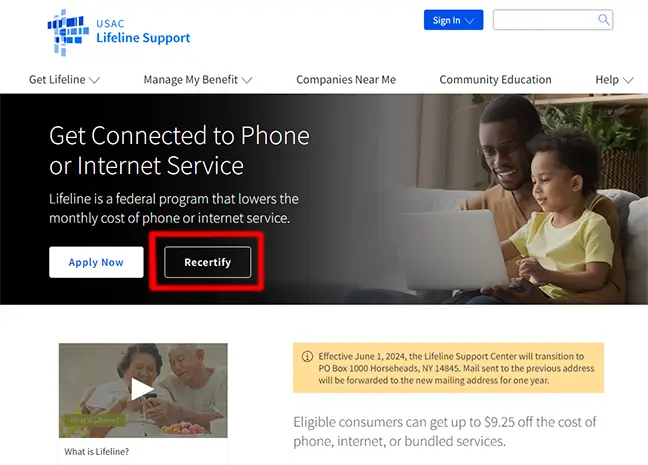
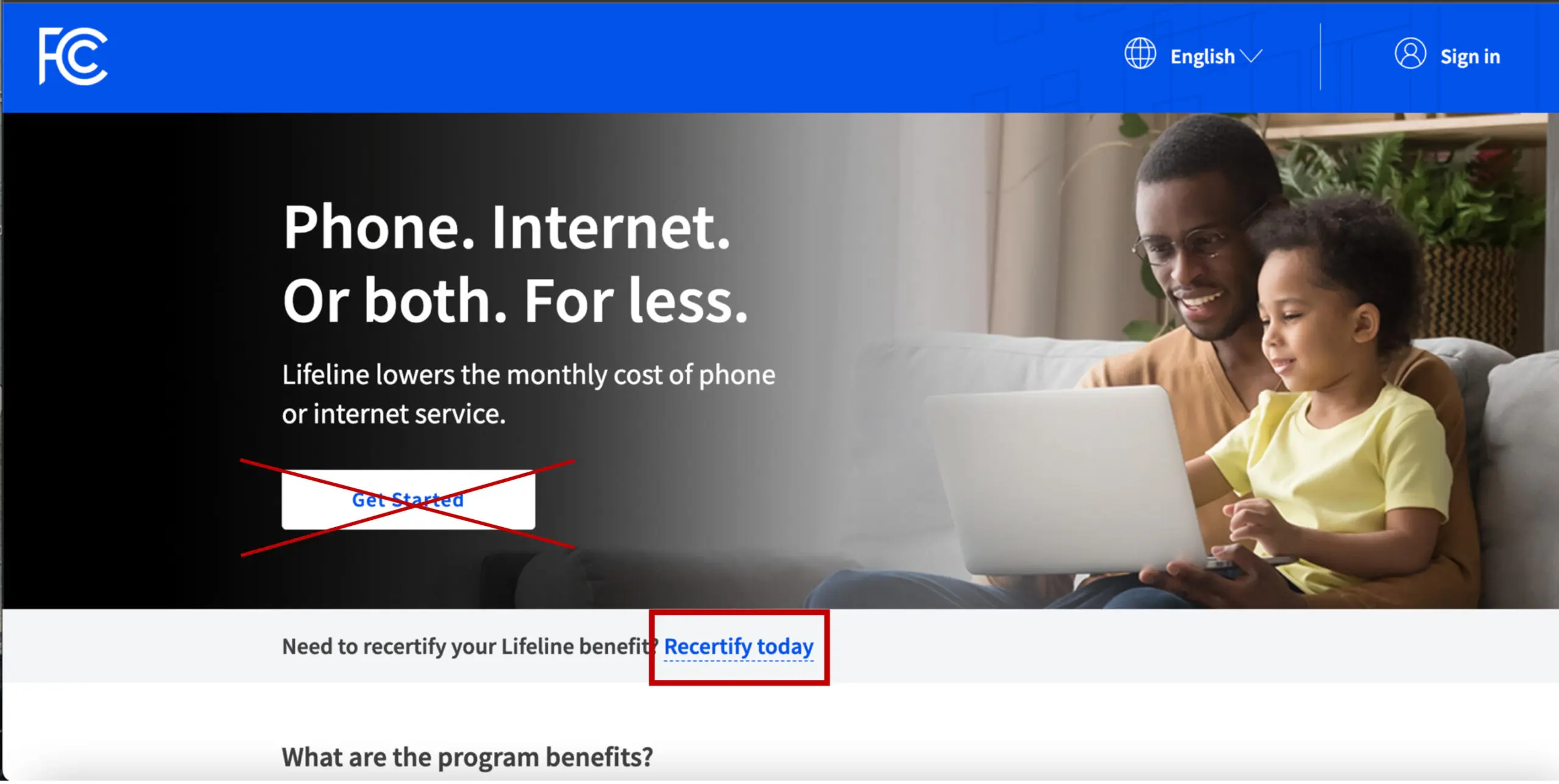
IMPORTANT: When completing your recertification, use the same personal information associated with your current EASY Wireless Lifeline account. Entering different information may prevent your recertification from being properly matched to your existing account.
If you need to update your FIRST NAME, LAST NAME, DATE OF BIRTH, SOCIAL SECURITY information, or ADDRESS, or if you have questions about your EASY Wireless account information, please contact Compliance@MyEasyWireless.com before making changes during your recertification.
If you are required to recertify and do not complete the process within the 60-day deadline, you will lose your Lifeline benefit – your Lifeline service may be turned off or your monthly cost may increase.
If you lose your Lifeline benefit but still qualify, you can reapply for Lifeline with your provider.
When will I receive notice that I need to recertify my EASY Wireless Lifeline account?
Each year, USAC checks to confirm that you still qualify for Lifeline. If USAC can confirm your eligibility automatically, you will not need to take any additional action. If USAC cannot confirm that you still qualify, you will receive multiple notifications about your recertification, including a mailed letter from USAC with your Application ID and a Lifeline Certification Form. This letter will include information your options to complete the recertification process. You will also receive text & phone reminders from EASY Wireless 7-10 days before your recertification period begins, with periodic reminders throughout your 60-day recertification window.
How long do I have to recertify?
If USAC notifies you that you need to recertify, you have 60 days to complete the recertification process. If you do not recertify by the deadline, you will lose your Lifeline benefit.
Does everyone have to complete Lifeline recertification each year?
No. Lifeline eligibility is reviewed each year, but you may not have to take any action. If USAC can confirm that you still qualify through its available records, your eligibility is automatically confirmed. You only need to complete the recertification process if USAC notifies you that it cannot automatically confirm your continued eligibility.
I lost my Recertification Form. How can I get another?
If you need another copy of the Lifeline recertification form you can download another form here. If you need assistance, contact the Lifeline Support Center at (800) 234-9473. The Support Center is available seven days a week from 9 a.m. to 9 p.m. ET.
Why am I still receiving notifications after I completed my recertification?
You may continue to receive reminders while your recertification is being processed or before your updated status is reflected in the system. If you are unsure whether your recertification was successfully completed, contact the Lifeline Support Center at (800) 234-9473 for assistance with your recertification status.
How do I know if my recertification was successful?
If you are unsure whether your Lifeline recertification was successfully completed, contact the Lifeline Support Center at (800) 234-9473. The Support Center can assist with questions about your Lifeline benefit and recertification. It is available seven days a week from 9 a.m. to 9 p.m. ET.
Information Review